
Download AlwaysOn Wellness APK – Health Tracking, Wellness Programs, Activity Monitoring
Overview
AlwaysOn® Wellness is a free Android application developed by OLH External Apps, designed to support employees in maintaining physical health and wellness, particularly those required to work in a seated, desk-based environment. The app enables users to conduct a personal health assessment and connect to their organization’s wellness initiatives, whether working remotely or in the office. It serves as a digital bridge between employees and workplace wellness programs, promoting healthier habits through consistent tracking and engagement.
By leveraging smartphone and wearable device integration, the app helps users monitor key health metrics such as daily activity, nutrition, sleep patterns, heart rate, and body composition. This continuous tracking allows individuals to gain insight into their lifestyle habits and make informed decisions to improve overall well-being. The solution is especially relevant for professionals with sedentary work schedules, offering a convenient way to stay active and engaged with health goals.
While the developer did not provide additional details about the company background, the app’s purpose is clearly aligned with corporate wellness strategies. It is accessible via the Google Play Store and requires Android 7.0 or higher, making it suitable for a broad range of users. The app’s core functionality revolves around health data aggregation, progress tracking, and seamless integration with organizational wellness platforms.
Key Features & Capabilities
- Health Assessment Tool: Enables users to complete a free, self-guided health evaluation to understand current wellness status and identify areas for improvement.
- Corporate Wellness Integration: Allows employees to link their personal health data with their organization’s wellness programs, facilitating participation in company-sponsored initiatives.
- Multi-Device Syncing: Automatically synchronizes with a wide range of wearable and mobile devices, including Apple Watch, Fitbit, Garmin, Samsung Health, Apple Health, Android Wear, and iHealth devices.
- Comprehensive Health Tracking: Monitors daily activity (steps, calories burned, distance), nutrition (calories, macronutrients), sleep (duration, quality), heart rate (resting and variability), and body metrics (weight, body fat percentage).
- Progress Visualization: Provides visual dashboards for tracking health trends over time, accessible via the mobile app or web portal.
These features support real-world usage scenarios such as employees monitoring their daily movement during long work hours, tracking sleep quality after a stressful week, or sharing wellness progress with HR teams. The integration with organizational programs also enables users to earn rewards, participate in challenges, or receive personalized recommendations based on their data.
User Interface, Workflow & Performance
The user interface of AlwaysOn® Wellness is designed to be intuitive and user-friendly, allowing employees to navigate through health tracking, assessments, and program access with minimal learning curve. The app likely follows a dashboard-centric layout, presenting key metrics at a glance and enabling quick access to detailed reports.
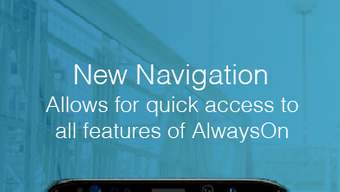
Navigation appears to be streamlined, with clearly labeled sections for activity, nutrition, sleep, heart rate, and body metrics. Users can easily view historical data, set goals, and receive reminders or notifications to stay consistent with their wellness routines. The workflow supports a seamless experience from data input to goal tracking and program participation.
Performance observations are based on general software behavior patterns. The developer did not specify resource usage details. However, given the app’s reliance on background syncing with multiple devices, it may consume moderate system resources during active tracking. Stability and responsiveness are expected to be consistent with standard Android applications, though actual performance may vary depending on device hardware and operating system version.
Compatibility & System Requirements
AlwaysOn® Wellness is compatible with Android devices running Android 7.0 (Nougat) or later. This ensures broad accessibility across a range of smartphones and tablets released in the past several years. The app is available exclusively through the Google Play Store, which simplifies installation and update management.
The installation size and exact hardware requirements were not listed by the developer. It is likely optimized for standard Android devices, but users with older or low-end hardware may experience variations in performance. The app supports a wide array of connected devices, including wearables from major brands, which enhances its utility for users with diverse tech ecosystems.
Platform compatibility information is limited to Android. No details were provided regarding iOS, desktop, or web-only versions. The developer did not specify whether the app functions fully offline or requires constant internet connectivity.
Pros and Cons
Pros
- Free to download and use with no subscription fees
- Designed specifically for employees in sedentary roles
- Seamless integration with major health and fitness wearables
- Supports corporate wellness program participation
- Intuitive interface suitable for non-technical users
- Tracks multiple health metrics across daily activity, sleep, nutrition, and body composition
Cons
- Available only on Android; no iOS or desktop version confirmed
- Exact system requirements and file size not disclosed
- Performance and resource usage details not provided
- Limited information on data privacy and security practices
- Dependent on third-party device compatibility for full functionality
FAQ Section
Is AlwaysOn® Wellness free to download?
Yes, the app is available for free on the Google Play Store. There are no reported subscription fees or in-app purchase requirements.
Which devices are compatible with the app?
The app supports a wide range of devices, including Apple Watch, Fitbit, Garmin, Samsung Health, Apple Health, Android Wear, iHealth, and various Android smartphones and tablets. Compatibility may depend on device model and operating system version.
Can I use the app without a workplace wellness program?
Yes, users can still access personal health tracking features such as activity, sleep, and nutrition monitoring even without a corporate program. However, full integration with organizational initiatives requires enrollment through an employer.
Does the app work offline?
The developer did not specify offline functionality. Data syncing and real-time tracking likely require an active internet connection, though some local data storage may be available.
How often does the app update?
Updates are managed through the Google Play Store. The frequency of updates is not publicly disclosed, but users are encouraged to keep the app current for optimal performance and compatibility.
Final Thoughts
AlwaysOn® Wellness offers a practical and accessible solution for employees seeking to improve their health while managing desk-based work. Its focus on corporate wellness integration, combined with robust health tracking across multiple metrics, makes it a valuable tool for individuals committed to long-term well-being. While the lack of detailed system specifications and platform expansion beyond Android may limit its reach, the app’s core functionality is well-aligned with modern workplace health initiatives.
For employees looking to monitor activity, sleep, nutrition, and vital signs in a simple, integrated way, AlwaysOn® Wellness delivers strong value—especially when supported by an employer’s wellness program. The free access and broad device compatibility further enhance its appeal.
Download AlwaysOn Wellness now






.png)
